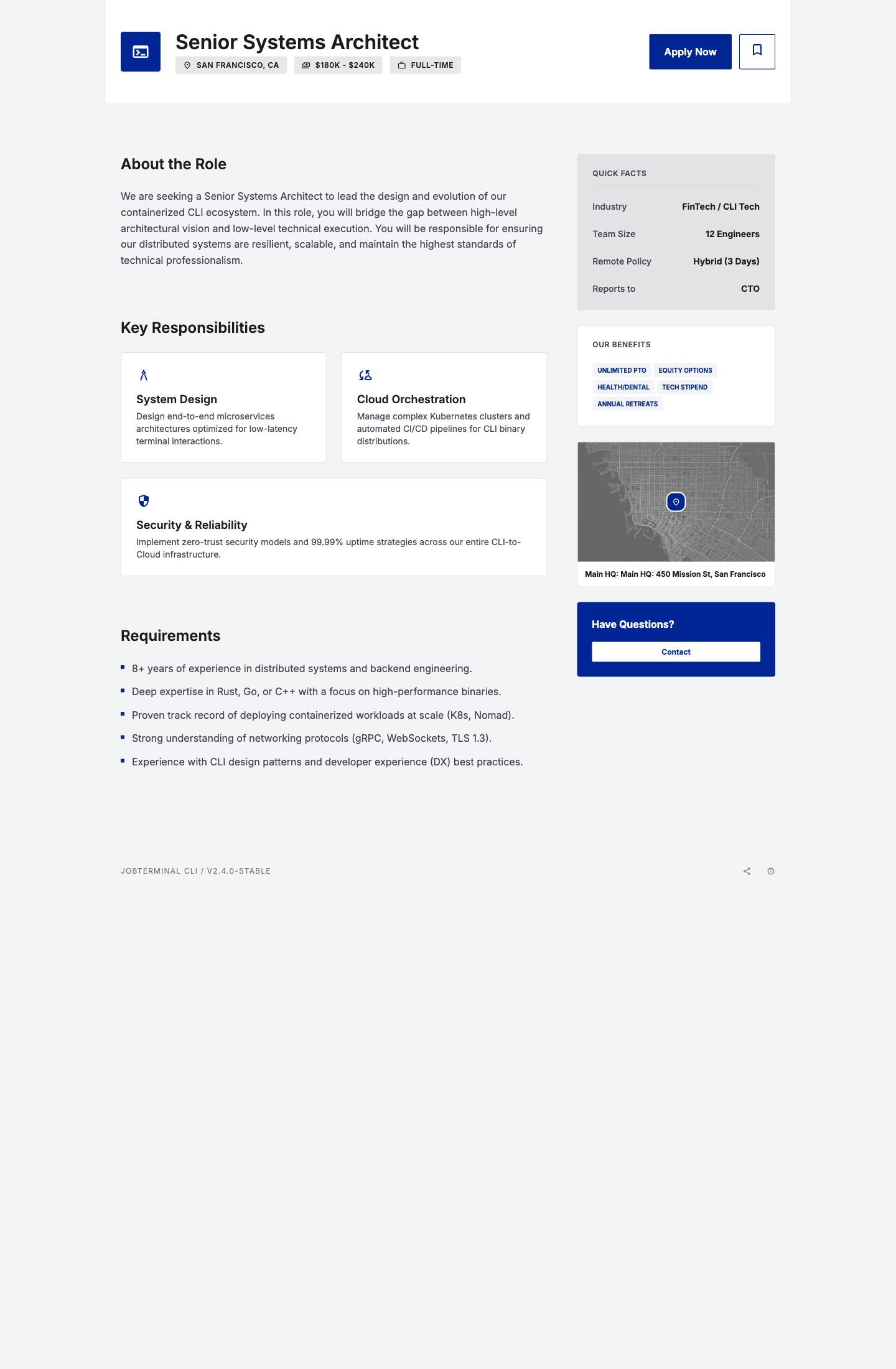
Soft-Professional Guide
This guide explains how examples/job-detail.jobspec.yaml maps to visible output in the built-in soft-professional theme.
Render command
neksus-jobspec spec render examples/job-detail.jobspec.yaml --format web --theme soft-professional --output dist/job-detail.html
YAML-to-UI mapping
- Hero title:
job.titleorhero.title - Top chips:
- location:
meta_chips.items[label~Location].value - salary:
meta_chips.items[label~Salary|Comp].value - employment:
meta_chips.items[label~Type|Employment].value - About section:
rich_text.title,rich_text.body - Responsibilities cards:
feature_grid.title,feature_grid.items[*] - Requirements list:
list.title,list.items[*] - Quick facts panel:
meta_panel.facts[*] - Benefits tags:
benefits.title,benefits.items[*].textor string item - Map image:
hero_banner.image_url(fallbacklocation_map.map_url) - Map label:
location_map.address - Bottom CTA contact email:
meta_panel.contact_email - Footer brand text:
footer_brand.body(fallbackjob.title) - Footer icons:
social_links.links[*].iconplusrendering.web.show_share_links/show_print_link
Minimal required component set for a full-page output
herometa_chipsrich_textfeature_gridlistmeta_panelbenefitslocation_map
Theme screenshot